How to use My Calendar?
How to use My Calendar?
The screen can be accessed from: My STAC > My Calendar
STAC can create appointments on the calendar based on Events, Relationships, Images, and Notes.

Keep in mind this calendar is not intended to be used instead of the user's regular calendar because all entries displayed are related to a case in STAC. Users won’t find their personal appointments stored in their calendar.
My Calendar displays the calendar for all cases where the user that is logged in is currently related.
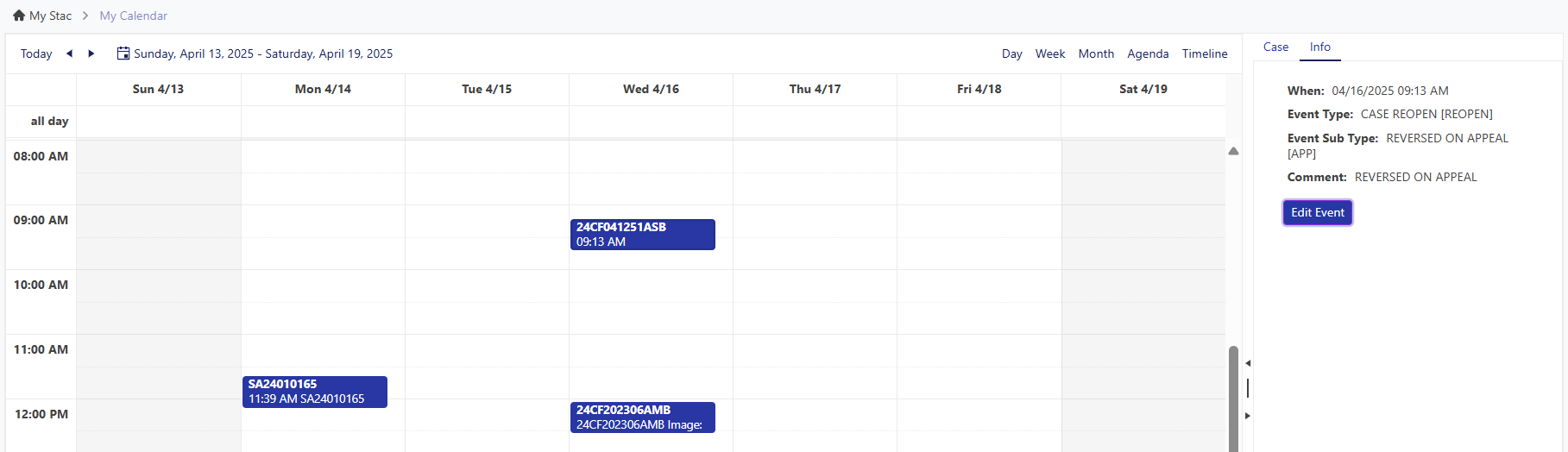
Calendar Navigation
The user can change the Calendar view to daily, weekly, monthly, agenda view or a Timeline. Users can also use the arrows on the top left to see the next day or week, then choose the Today button to return to the current day.
In the Detail section on the right side of the screen will show the Case card. From the case card the user can choose to view the case in a new tab.
The Detail section also has a screen called Info, this will show the details related to the Calendar entry. From this screen, the user can choose to Edit the record such as updating the Date, Type, Comment, etc.
Related Articles
How to use the Calendar Tab?
How to use the Calendar Tab? STAC can create an entry for Events, Relationships, Images, and Notes. Keep in mind this calendar is not intended to be used instead of the user's regular calendar because all entries displayed are related to a case in ...How to configure STAC Calendars?
Mostly the items from the Calendar derive from the Event table, but some relationships, images, and even notes may be important enough to display the date they were added to the case. To enable events, just go to the Event Type code table (Setup > ...How to use Tags?
Tags To add a tag to a case, the user should right click on the Case in the Case list. Then, hover over the Tags option. Users have the option on how they would like to display the tag, remove all of the tags from the case, or create a new tag. Users ...How to use Forms?
What is STAC forms? CIP Portal Forms lets users create, design, and send custom Forms/Questionnaires within STAC to anyone with a valid email address. Upon completing the forms, the files will be automatically added back into STAC in the Form tab. ...How to use My Notifications?
How to use My Notifications? The My Notification screen in My STAC is currently only used for Acknowledging Notifications. Users will know they have pending Notifications because the Notification section will be orange, and the number represents how ...